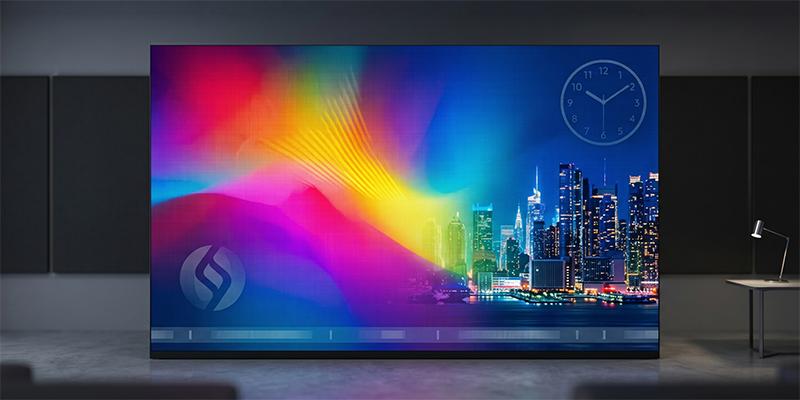
Pixel pitch (mm) measures spacing between pixels, dictating density and resolution. Smaller pitches yield superior clarity, allowing closer viewing without visible LEDs. By eliminating the “screen door effect,” it ensures seamless, lifelike visuals. Choosing the right pitch balances performance with distance to create a crisp, HD canvas.
When planning to invest in a digital display—whether for a high-stakes control room, a luxury home cinema, or a corporate boardroom—you will immediately encounter a technical specification that dictates everything: Pixel Pitch.
It is the most critical factor determining the price and performance of an LED screen. Yet, it is often misunderstood. Is a lower number always better? How does it relate to 4K resolution? And why are industry experts shifting towards COB (Chip-on-Board) technology for the finest pixel pitches?
In this guide, we will demystify pixel pitch, quantify its massive impact on image quality, and explore how Ytledcob’s COB LED solutions are pushing the boundaries of visual clarity.
What Exactly is Pixel Pitch?
To understand the big picture, we have to look at the microscopic details.
Pixel Pitch (often referred to as dot pitch) is the physical distance, measured in millimeters, from the center of one LED pixel cluster to the center of the adjacent one. It is universally denoted by the letter “P” followed by a number.
- P10: The pixels are 10mm apart (common for distant billboards).
- P2.5: The pixels are 2.5mm apart (common for indoor retail).
- P0.9: The pixels are less than a millimeter apart (High-End Micro LED).
The Golden Rule: The smaller the pixel pitch, the tighter the pixel density. A tighter density means significantly higher resolution and a sharper, smoother image.
The Math of Clarity—How Pitch Affects Image Quality
You might ask, “How much does pixel pitch really affect what I see?” The answer is: It is the difference between seeing a grid of dots and seeing a seamless reality.
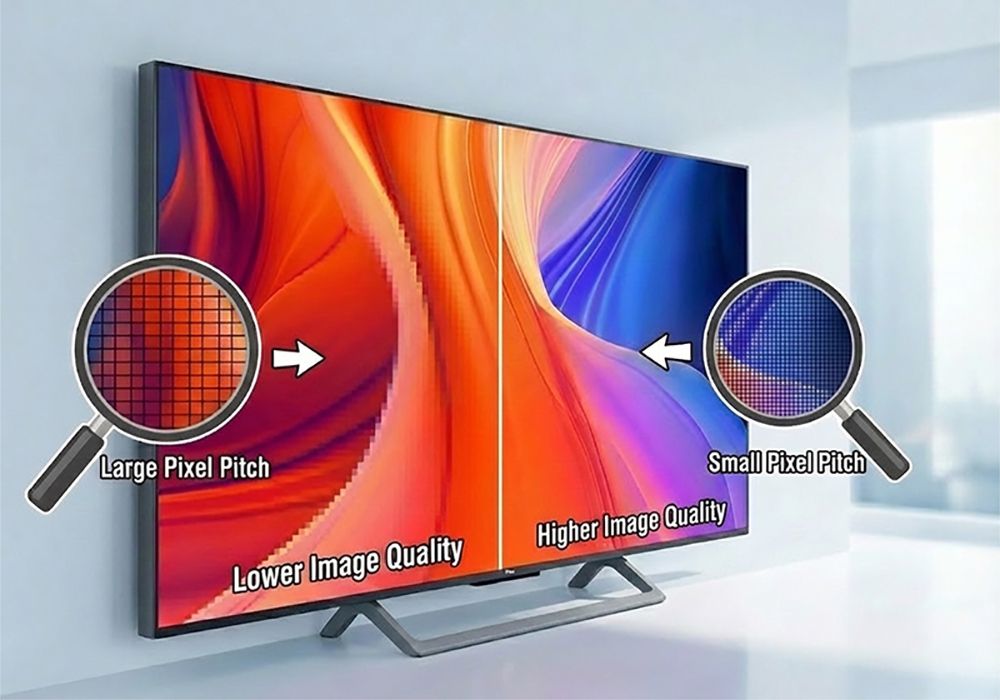
Pixel pitch impacts three specific pillars of image quality:
1. Resolution Density
Unlike an LCD monitor where the resolution is fixed, an LED wall’s resolution depends on its size and its pitch.
- The Problem: With a standard P2.5 pitch, you would need a screen roughly 10 meters wide just to achieve a standard 4K (3840 pixels wide) signal. That is too large for most indoor rooms.
- The Solution: With Ytledcob’s Fine Pitch COB series (such as P0.9 or P1.2), you can pack those same 4K pixels into a standard 130-inch to 160-inch wall. This allows you to display complex spreadsheets, detailed topographical maps, or UHD video content without losing detail.
2. Optimal Viewing Distance
This is the most practical metric for any buyer. If your pixel pitch is too large, viewers standing close to the screen will see the “screen door effect”—black gaps between the lights.
- The Formula: A simple rule of thumb for the minimum viewing distance is Pixel Pitch (mm) × 1 = Distance (meters).
- P2.5 Display: Best viewed from 2.5 meters away.
- P1.2 COB Display: Looks seamless from just 1.2 meters away.
- P0.78 COB Display: Provides a “Retina” experience from under 1 meter, suitable for touch interactions and desktop-level viewing.
3. Image Smoothness
Large gaps between pixels kill immersion. Lower pixel pitch fills these gaps. High-end COB screens essentially eliminate the “digital grain,” creating an image that looks like a printed photograph or a high-end OLED TV rather than an industrial display.
The Limit of Traditional LED vs. The Power of COB
As the market demanded smaller pixel pitches (below P1.5), traditional technology hit a wall.
Standard SMD (Surface Mounted Device) screens use individual lamp cups soldered to a board. When you try to squeeze these too close together (like P0.9 or P1.2), the solder points become weak. The screens become incredibly fragile; a simple bump during installation can knock off pixels, leading to costly repairs (“dead pixels”).
Enter Ytledcob’s COB Technology.
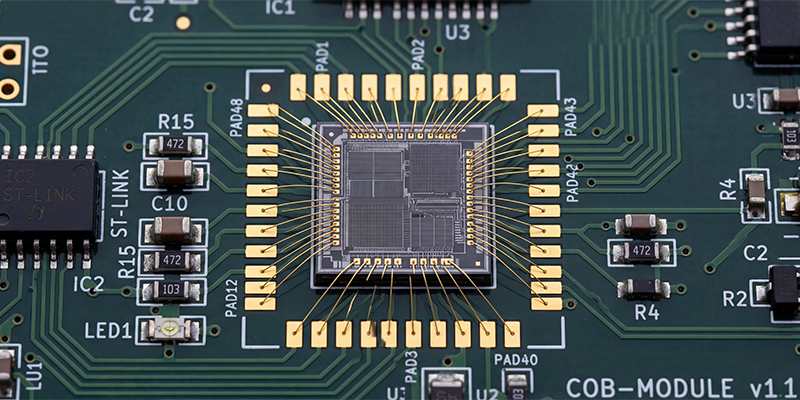
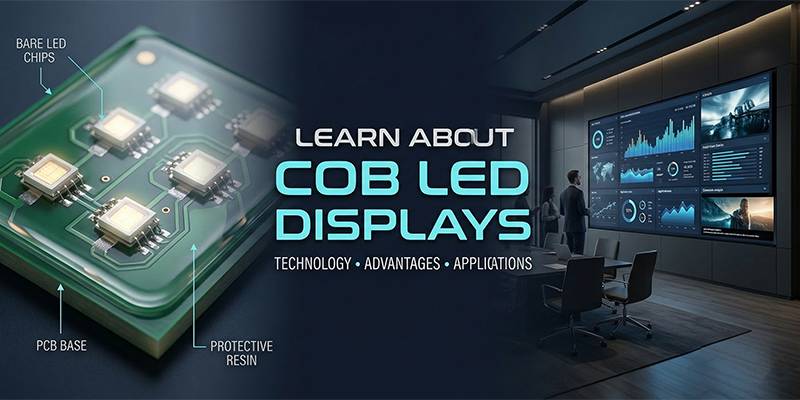
COB (Chip on Board) revolutionizes this by getting rid of the lamp cups entirely. The raw LED chips are bonded directly to the PCB circuit board and then encapsulated in a smooth, protective resin layer.
Why COB is Essential for Fine Pitch (P1.2 and below)
When looking at the Ytledcob product lineup, you will notice a focus on ultra-fine pitches like P0.78, P0.9, and P1.2. This is only possible because:
- Microscopic Precision: Without the bulky casing of SMD, COB allows chips to be packed incredibly tight.
- Gapless Visuals: The encapsulation creates a high fill factor. There is less “black space” between pixels, resulting in richer colors and less pixilation.
The Ytledcob Advantage: redefining High-End Display
When you browse the Ytledcob Products page, you aren’t just looking at screens with small numbers; you are looking at a fundamental upgrade in visual performance. Here is how their COB technology maximizes the potential of fine pixel pitch:
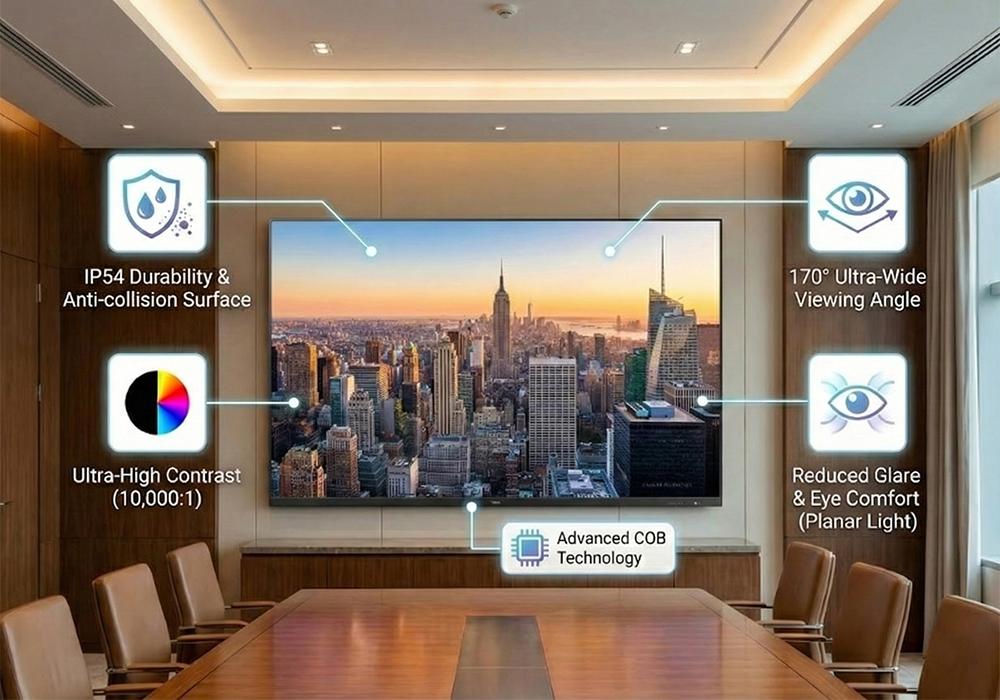
1. Durability Meets Resolution
Usually, high-resolution screens are delicate. Ytledcob flips the script. Their COB modules feature IP54-level protection. The surface is dust-proof, moisture-proof, and significantly, anti-collision. You can wipe the screen clean with a damp cloth—something you would never dare do with a traditional fine-pitch SMD screen. This makes P0.9 or P1.2 screens viable for high-traffic lobbies, not just sealed server rooms.
2. Superior Contrast Ratio
Pixel pitch provides sharpness, but contrast provides depth. Ytledcob COB displays utilize distinct black surface treatment technology. By absorbing ambient light and preventing reflection, they achieve pure, inky blacks. This allows the vibrant colors of the LED to pop, providing a contrast ratio often exceeding 10,000:1.
3. The 170° Viewing Experience
One side effect of traditional tight pixel pitch is that the viewing angle often narrows. Ytledcob’s COB packaging solves this. The optical design ensures a massive 170° viewing angle (horizontal and vertical). Whether you are the CEO sitting at the head of the table or an analyst sitting to the far side, the colors remain accurate, and the image remains sharp.
4. Eye Comfort for Long-Term Use
Small pixel pitch screens are often used in command centers where operators stare at data for 10+ hours. Ytledcob’s COB surface acts as a planar light source rather than thousands of piercing points of light. This diffusion significantly reduces glare and moiré patterns, minimizing eye strain and making it camera-friendly for broadcast or video conferencing.
Selecting the Right Pitch for Your Application
Choosing the right pixel pitch is a balance between viewing distance, budget, and content requirements. Based on the Ytledcob portfolio, here is a quick guide:
- P0.78 – P0.9 COB (The Ultra-Fine Series):
- Best For: Control rooms, medical imaging, design studios, and luxury home theaters.
- Why: Viewers are very close (1 meter). You need to display 4K/8K content on a reasonably sized wall. Ultimate detail is non-negotiable.
- P1.2 – P1.5 COB (The Golden Standard):
- Best For: Corporate boardrooms, conference halls, and high-end retail displays.
- Why: The sweet spot for 1080p/4K resolution in standard room sizes. Viewers are typically seated 3-5 meters away.
- P1.8 and above (Standard Pitch):
- Best For: Large auditoriums, houses of worship, or distant signage.
- Why: At 10 meters away, the human eye cannot tell the difference between P1.8 and P1.2, so the larger pitch is more cost-effective.
Conclusion: Clarity Without Compromise
To answer the question: How much does pixel pitch affect image quality? It is the defining characteristic that separates a generic display from a window into a digital world.
As we move into an era of high-definition data and immersive video, the demand for smaller pixel pitch is skyrocketing. However, shrinking the pitch is dangerous without the right packaging technology. This is where Ytledcob stands out.
By combining ultra-fine pixel pitch with the robust, high-contrast, and energy-efficient properties of COB technology, Ytledcob provides a solution that doesn’t just look good on a spec sheet—it performs flawlessly in the real world.
If you are ready to upgrade your visual environment with a display that offers seamless 4K/8K clarity and unmatched durability, explore the COB revolution.